

GitHub Integration
Build an automated GitHub issue and PR management system with AI-powered classification and routing
Workflow Overview
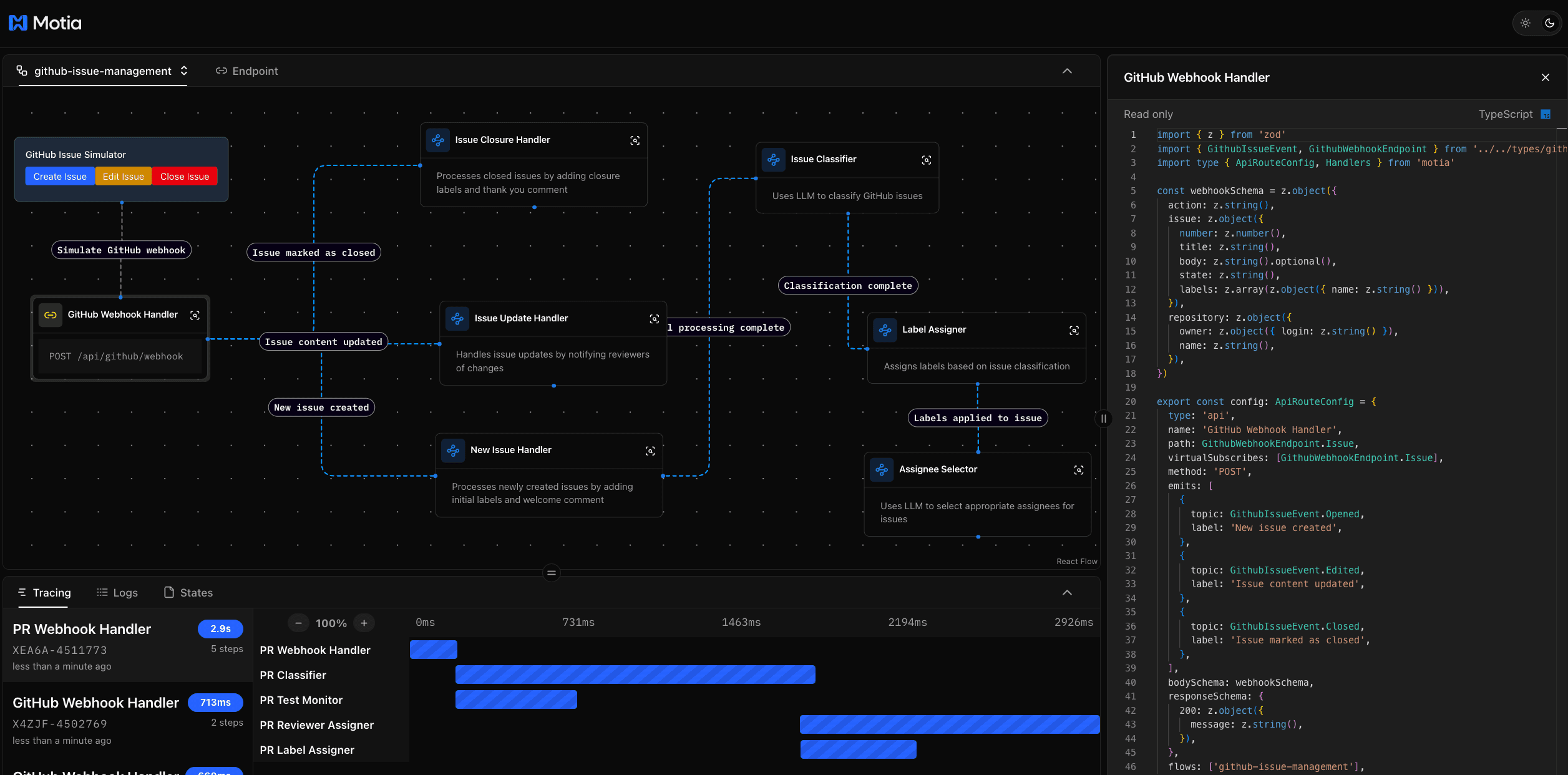
Try it yourself:
Let's build a GitHub automation system that:
- Automatically triages and classifies new issues
- Intelligently assigns labels based on content
- Suggests appropriate assignees and reviewers
- Monitors PR test status
- Generates contextual comments
Workflow Structure
The GitHub integration workflow is organized into two main components:
- Issue Triage: Handles the management of GitHub issues
- PR Classifier: Manages pull request workflows
The Steps
github-webhook.step.ts
issue-classifier.step.ts
label-assigner.step.ts
assignee-selector.step.ts
handle-new-issue.step.ts
handle-issue-update.step.ts
handle-issue-closure.step.ts
pr-webhook.step.ts
pr-classifier.step.ts
pr-label-assigner.step.ts
pr-reviewer-assigner.step.ts
pr-test-monitor.step.ts
This example uses the steps/ directory, but you can also use src/ or both. Motia discovers step files from either location automatically.
See the full source code on GitHub.
Visual Overview
Here's how the automation flow works:
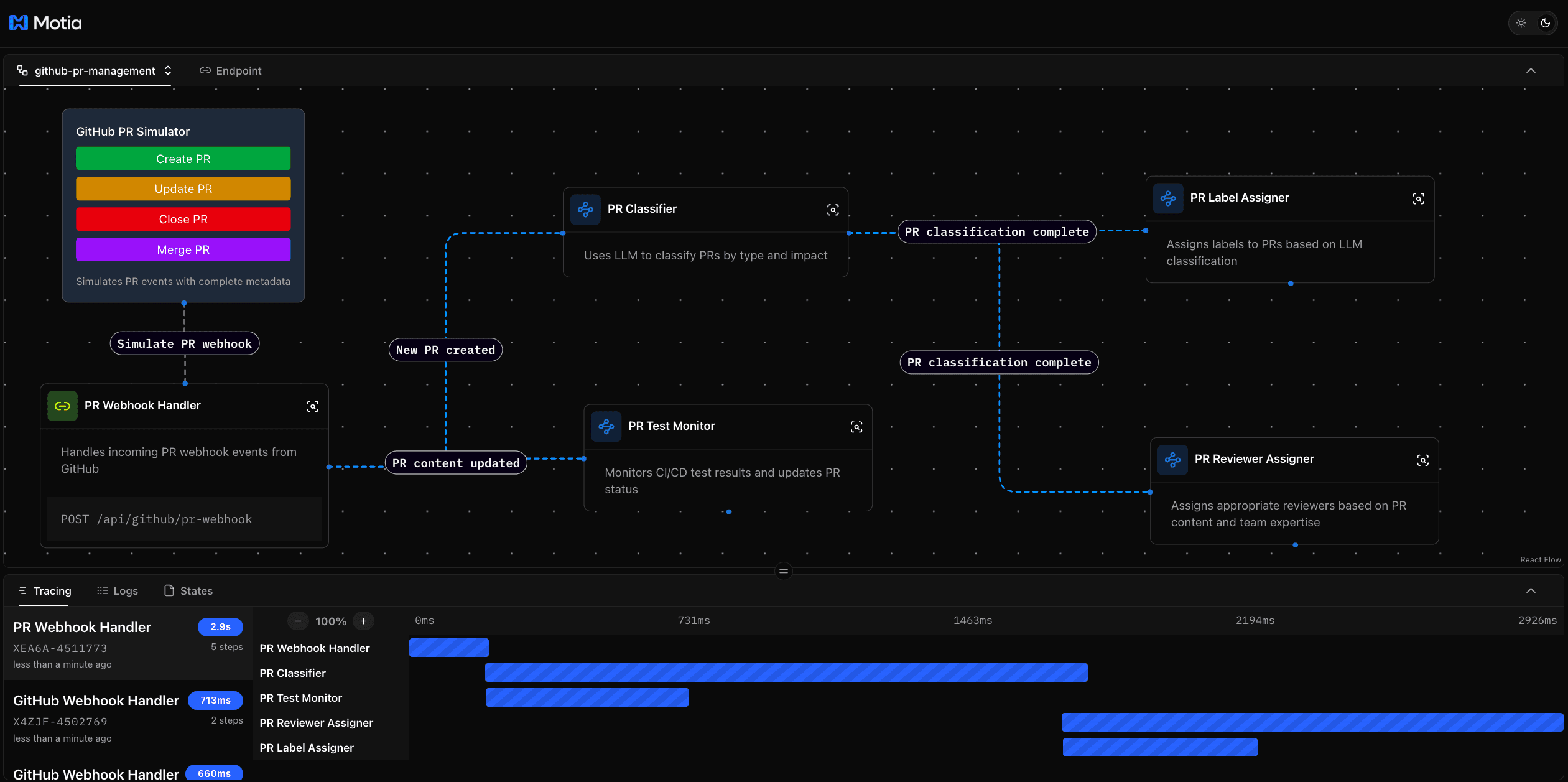
- Webhook Reception → Captures GitHub events
- Issue/PR Classification → Analyzes content with AI
- Automated Labeling → Applies appropriate labels
- Smart Assignment → Suggests reviewers and assignees
- Status Monitoring → Tracks PR test status
Try It Out
Prerequisites
Make sure you have:
- GitHub account with personal access token
- Node.js installed
- OpenAI API key (for AI classification)
Clone the Repository
Install Dependencies
Configure Environment Variables
Create a .env file by copying the example:
Update your .env with the following credentials:
Set Up GitHub Webhook
- Go to your GitHub repository settings
- Navigate to Webhooks and add a new webhook
- Set the Payload URL to your Motia server endpoint
- Select content type as
application/json - Choose which events to trigger the webhook (Issues, Pull requests)
- Save the webhook
Run the Application
Test the Flow
- Create a new issue in your GitHub repository
- Watch as it gets automatically classified and labeled
- Create a new PR to see the reviewer assignment in action
- Check the PR comments for test status updates
For more detailed setup instructions and configuration options, check out the full documentation.