

.svg)


.svg)

Deploy in One Click
Take your Motia project from development to production in seconds. Zero configuration, instant rollbacks, and built-in observability.
.svg)
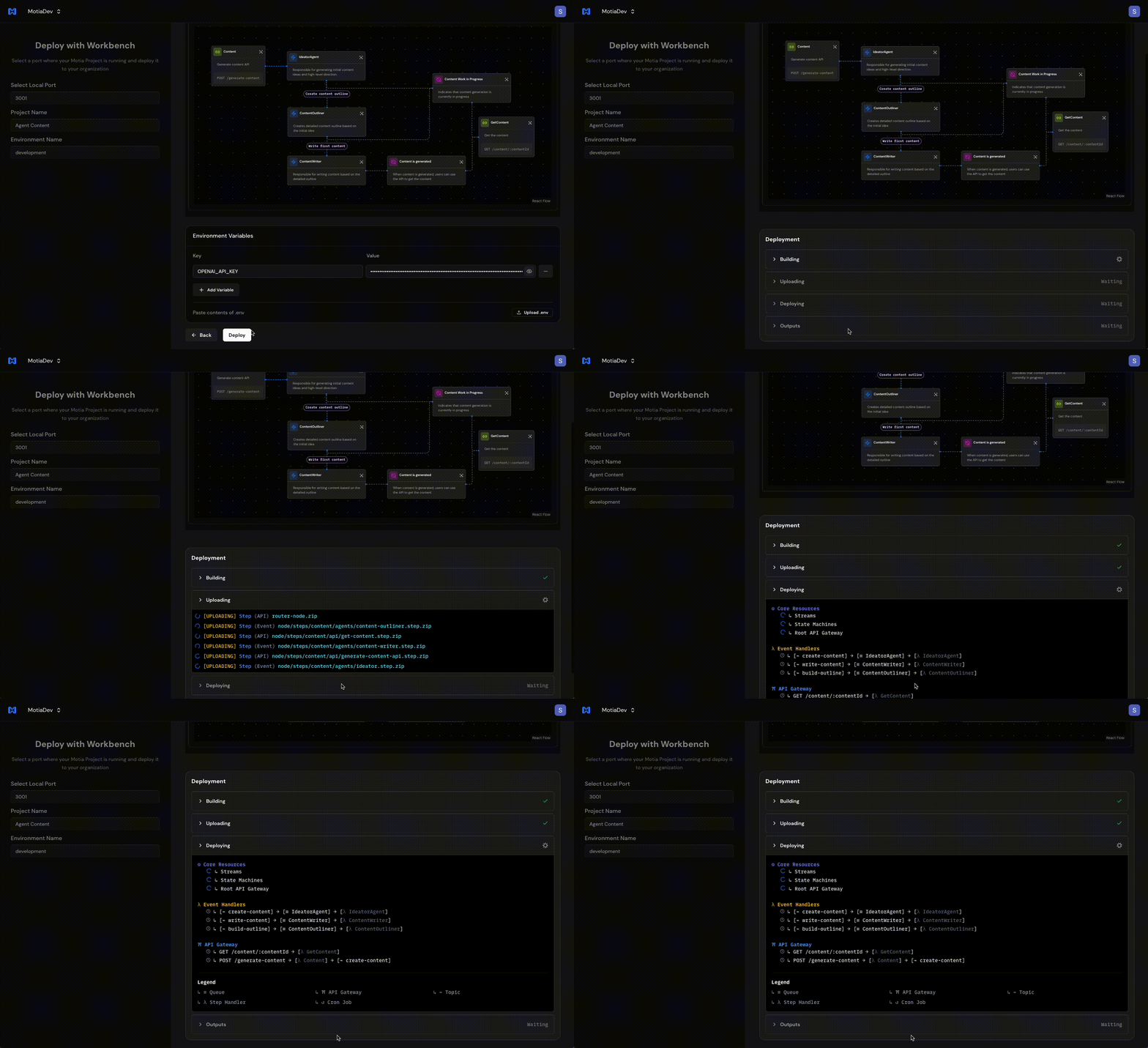
How it works:
Go from your local workbench to production in seconds. No config files, no infrastructure setup. Just pure deployment magic.

Run Locally
Make sure your Motia version is 0.6.4 or higher
Open Workbench
Go to "Import from Workbench" on Motia Cloud
Deploy
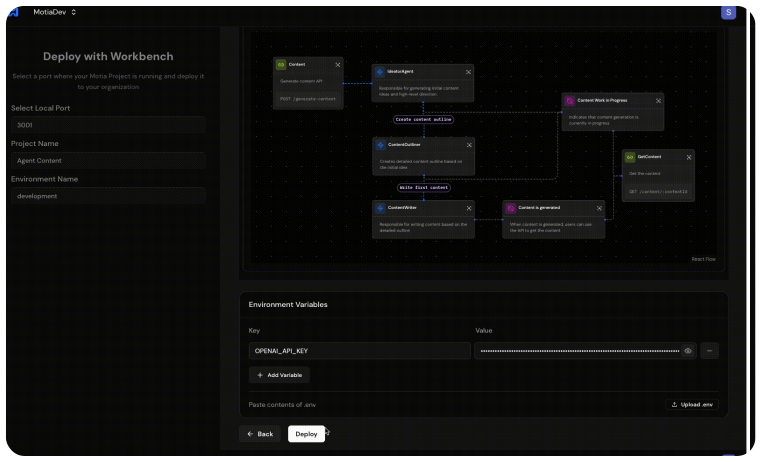
Select your project, add environment variables, and click deploy

Note: Your first deployment goes live immediately. Subsequent deployments can be promoted with one click.
.svg)
Deployments Simplified
Every deployment is atomic and isolated. Roll forward confidently, roll back instantly.
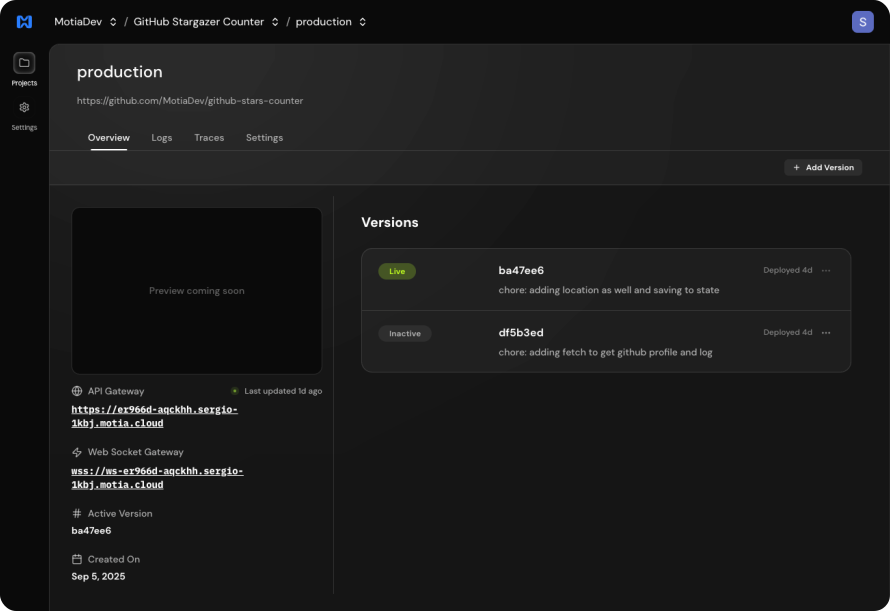
Built-in Observability
Get the same experience you have locally with Workbench, but for your production environment.
.svg)
Zero configuration
Instant rollbacks
Built-in observability
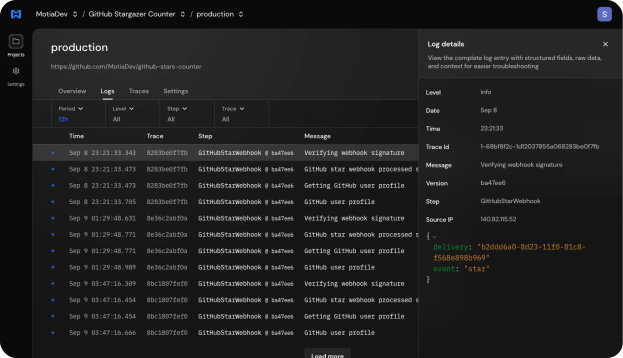
Logs Visualization
See exactly what's happening in your production environment. Filter by step, search by trace ID, and debug issues fast.

Distributed Tracing
Follow requests through your entire system. See how events flow between steps and identify bottlenecks instantly.
.svg)
.avif)
Scale Efficiently with Ease
Motia Cloud handles scaling automatically so you can focus on building.
.svg)
Per-Step Scaling
Each step scales independently based on load.
.svg)
Auto Retries
Built-in retry mechanism with 3 attempts by default.
.svg)
Multiple Environments
Create staging, production, and custom environments.
Per-Step Scaling
Each step scales independently based on load.
Auto Retries
Built-in retry mechanism with 3 attempts by default.
Multiple Environments
Create staging, production, and custom environments.
.svg)
.svg)
Deploy from CLI
Perfect for CI/CD pipelines and automated deployments.
Deploy from Workbench
One-click deployment directly from your local development environment.
View guide

.svg)
Deploy from Workbench
One-click deployment directly from your local development environment.
Auto-imports your project structure
Upload .env file or paste variables
Watch deployment in real-time
Continuous Deployment Ready
Set up GitHub Actions to deploy automatically on every push.
View complete CI/CD guide
Still Curious? Here’s What Devs Ask Most.

.svg)
Can I deploy any Motia app?
Node.js projects are fully supported. Python projects work too, with some limitations on large ML libraries like TensorFlow due to the 100MB bundle size limit (we're working on increasing this).
What happens when I deploy?
Your first deployment goes live immediately. After that, new deployments are listed but need to be manually promoted. This gives you control over when updates go live.
How do environment variables work?
Each deployment includes its own environment variables. This means rollbacks also roll back your env vars, making deployments predictable and safe.
What are the current limitations?
• 100MB bundle size (increasing soon)
• 4KB event payload size
• 15 min timeout for Event/Cron Steps
• 30 sec timeout for API Steps
How much does it cost?
We're still working on the pricing model, but it will be usage-based. You only pay for what you use.
Compare Deployment Options
A managed platform for deploying, scaling, and monitoring your Motia applications — without managing infrastructure. Currently live in beta at motia.cloud
.svg)
Motia Cloud
Select a managed option for easy scaling, updates, and less overhead.
Instant deployment.
Auto-scaling infrastructure
Built-in monitoring & observability
Automatic updates
Priority support
Explore Motia Cloud

.svg)
Self-host
Most popular
Deploy Motia on your infrastructure for control over data and compliance.
Full control of your infrastructure
MIT License – completely free
Deploy anywhere (AWS, GCP, Azure, your server)
All framework features included
Community support
Set Up Self-Hosting
Ready to Deploy?
Get your project live in minutes. No credit card required. Start with the free tier.



.svg)
.svg)
.svg)
.svg)
.svg)